Your PC in good hands
AW PC Control cleans, optimizes and watches over your computer every day. And when you have a question, AW bot answers in your language, looking at your PC.
For Windows 10 and 11. The Basic version is free forever.
- Made by AW Computadores
- English, Spanish and Portuguese
- Automatic updates
- Restore point before any tweak
Everything your PC needs, in one app
Made for people who don't know much about computers and for those who know a lot. A simple mode for everyday use and an advanced mode for those who like to tweak everything.
One-click optimization
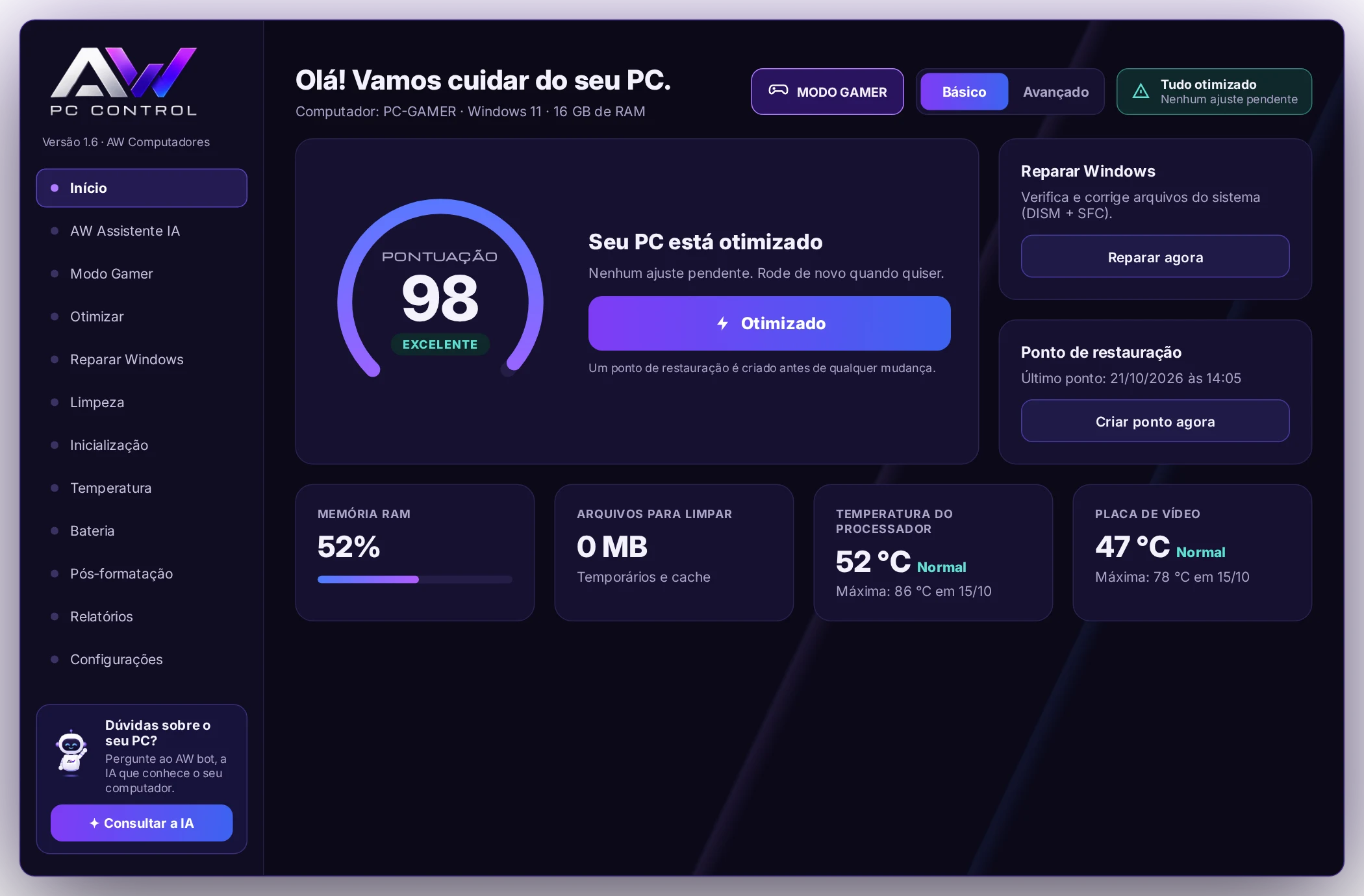
The app analyzes the computer, shows a score from 0 to 100 and fixes whatever is slowing it down with a single button.
- Cleans temporary files and update leftovers
- Adjusts power, Game Mode and the programs that open with Windows
- Creates a restore point before changing anything
Gamer Mode
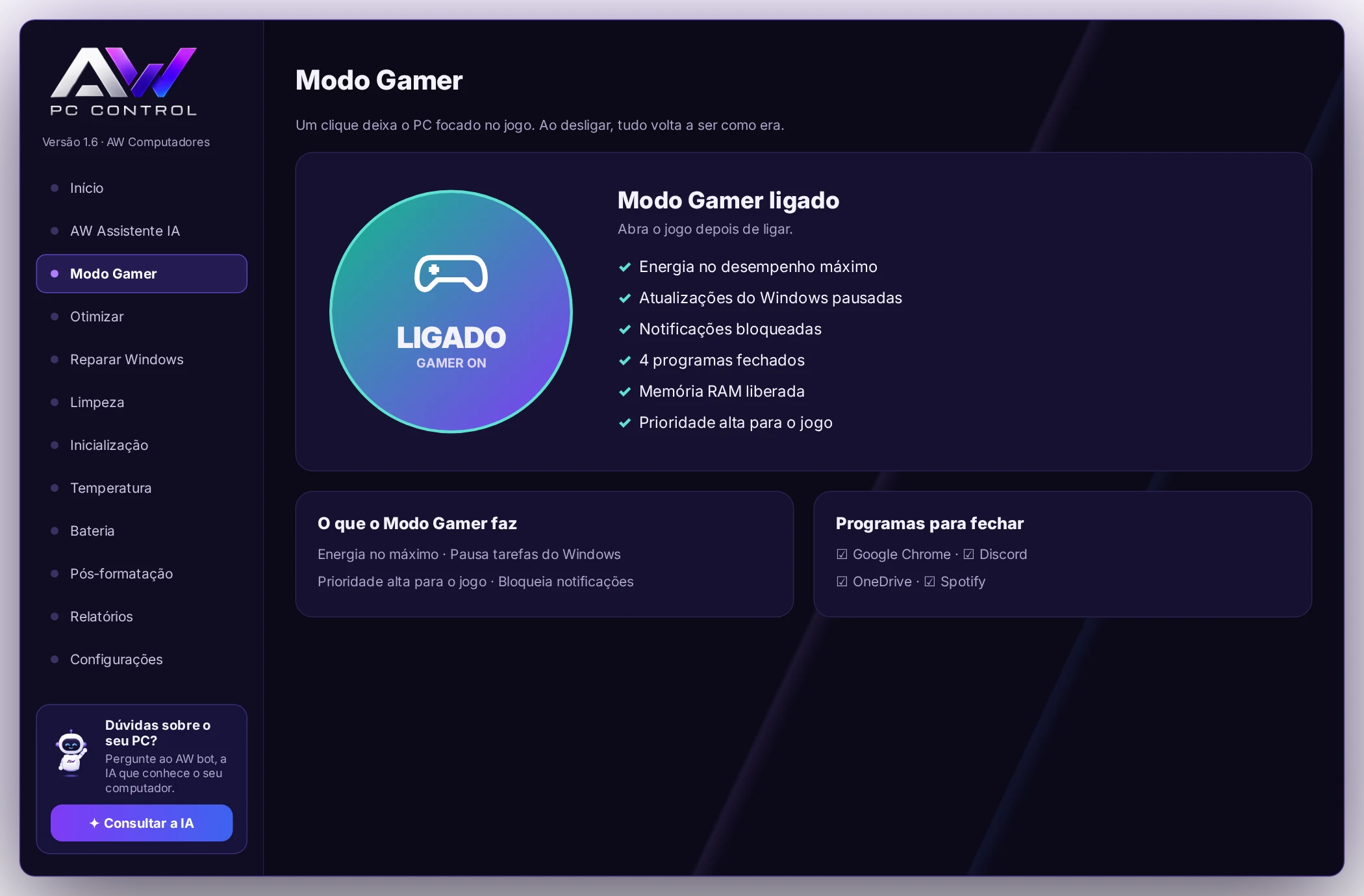
One click and the whole PC focuses on the game. When you turn it off, everything goes back to how it was.
- Power at maximum performance
- Windows updates and tasks paused during the game
- Notifications blocked and high priority for the game
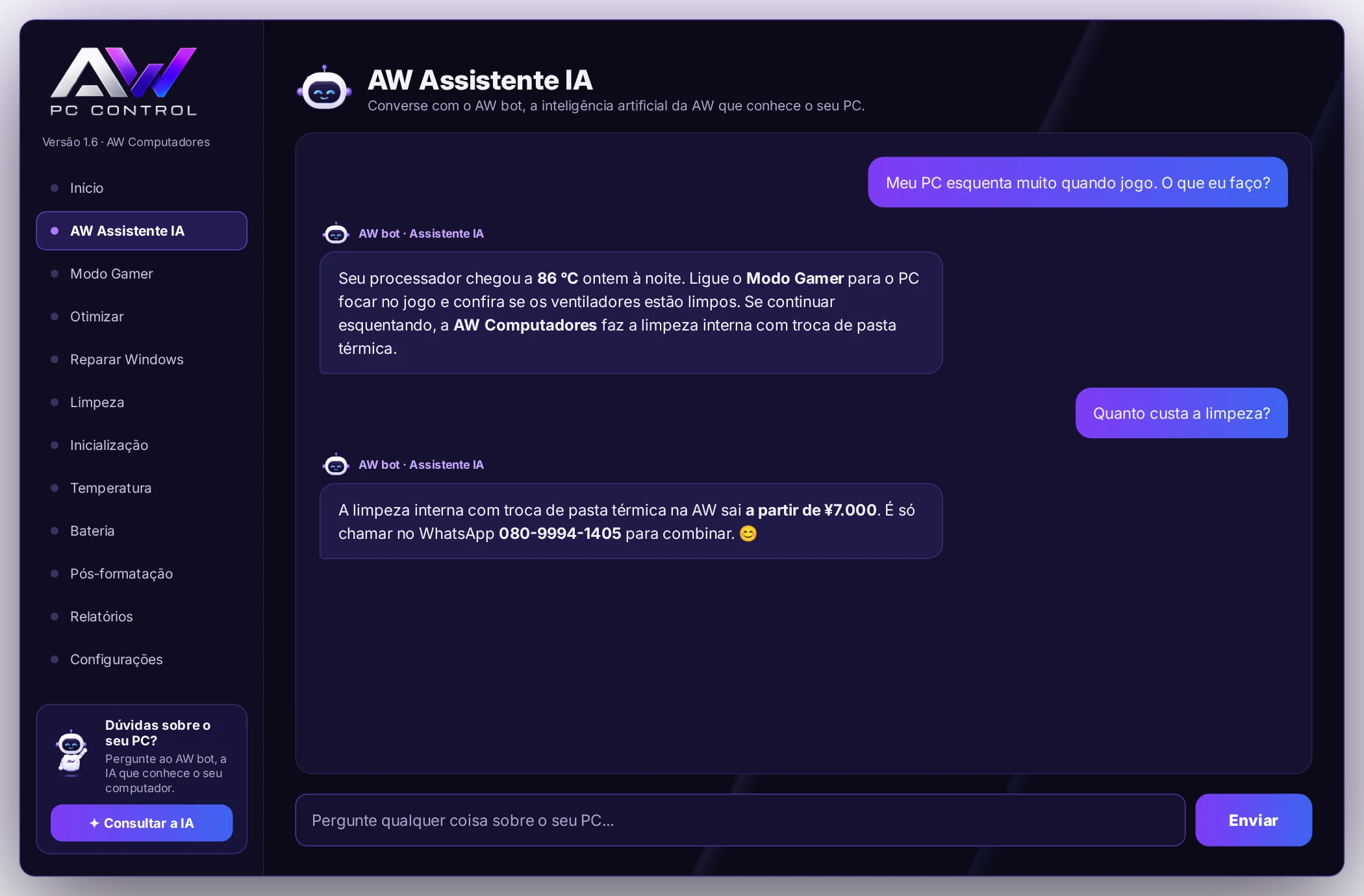
AW bot, the AI that knows your PC
Ask anything about the computer. AW bot sees your PC's parts, temperatures and score and answers in plain English, straight to the point.
- "Why is my PC slow?"
- "Is the temperature normal?"
- "Is it worth switching to an SSD?"
Temperature
Real-time reading and history with the maximum and minimum, with date and time.
Laptop battery
Shows the battery health and when it's time to replace it.
Windows repair
DISM, SFC and CHKDSK in the right order, with one button.
After formatting
Installs Chrome, LibreOffice, VLC and other programs all at once.
PC tests
Checks the mouse, keyboard, screen and internet speed.
AW Shield
Warns you about fake virus alerts and checks suspicious messages.
Start free. Unlock everything with Pro.
The Basic version is free forever. Pro unlocks all features on your PC.
| Feature | Basic | Pro |
|---|---|---|
| Score and one-click optimization | ✓ | ✓ |
| File cleanup | ✓ | ✓ |
| Real-time temperature | ✓ | ✓ |
| Battery health | ✓ | ✓ |
| AW bot, the AI assistant | — | ✓ |
| Gamer Mode | — | ✓ |
| Advanced Mode (one tweak at a time) | — | ✓ |
| Windows repair | — | ✓ |
| Temperature history | — | ✓ |
| Startup programs, after-formatting setup and reports | — | ✓ |
Choose your plan
One-time payment. No subscription, updates included.
Pro · 1 PC
For your computer or laptop.
¥4,980
¥3,980
- All Pro features
- AW bot with AI
- Updates included
- Still valid after formatting
Family Pack · 3 PCs
For the whole house: the gaming PC, the laptop and the kids' PC.
¥10,000
¥8,980
¥2,993 per PC
- Full Pro on 3 computers
- AW bot on every PC
- Updates included
- Separate activation for each PC
Payment methods:Credit cardApple PayGoogle Pay
Outside Japan you pay in your local currency. The exact amount appears on the payment page.
Why the Family Pack is worth it
Buying 3 single licenses would cost ¥11,940. The Family Pack is ¥8,980: you save ¥2,960, almost one PC for free. Each computer gets its own serial and you activate it whenever you want.
How to install
It takes about 2 minutes. Along the way Windows shows a blue warning: that's normal, and below we show exactly where to click.
-
Download the installer
Click "Free download". When the download finishes, click the AW_PC_Control_Setup.exe file to open it.
Free download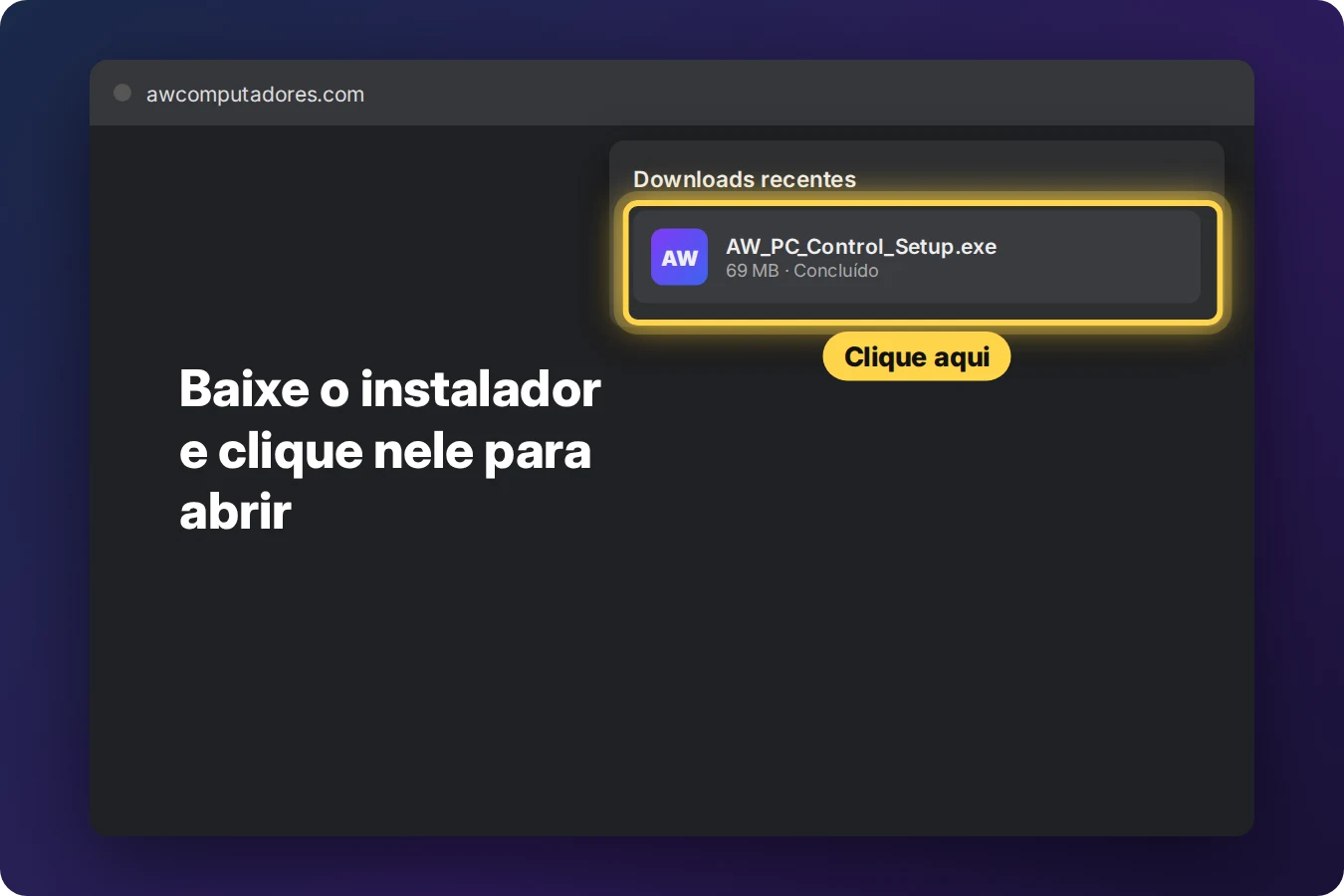
-
Blue Windows warning: click "More info"
Windows shows "Windows protected your PC". Click the More info text.
Why does this warning appear? Windows shows it for new programs that don't have Microsoft's commercial certificate yet. AW PC Control is made by AW Computadores, updates are checked with AW's digital signature, and the app creates a restore point before any tweak.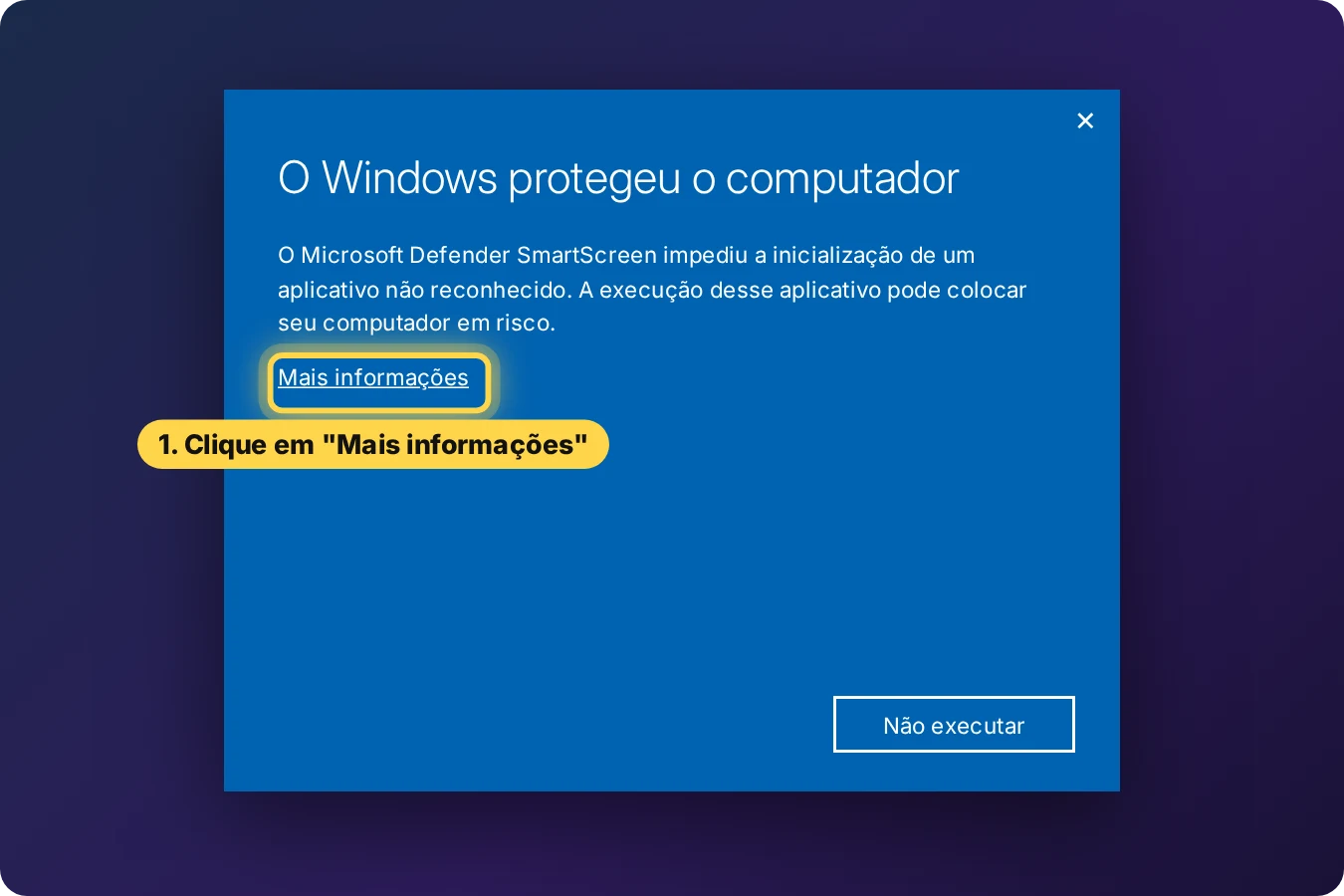
-
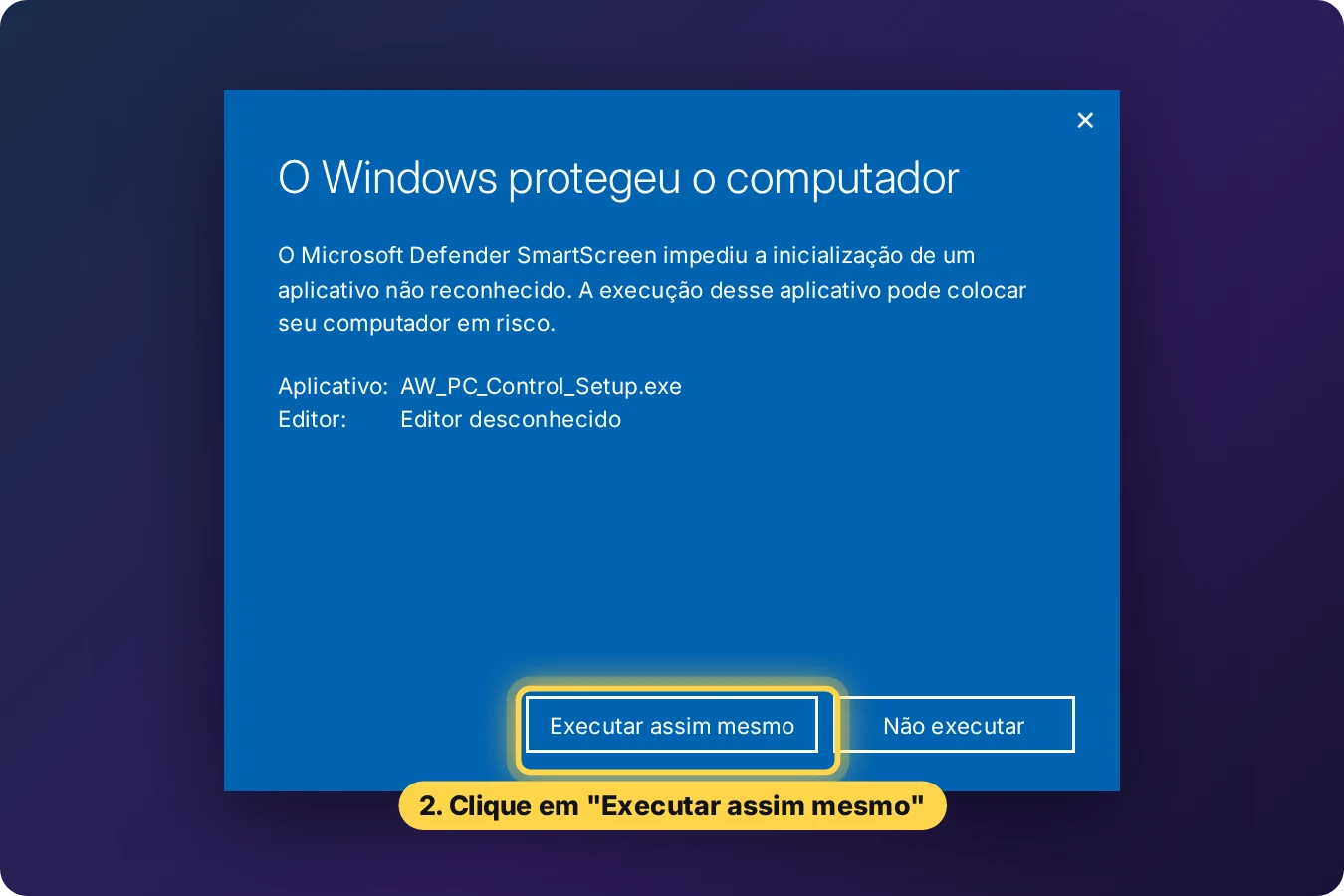
Click "Run anyway"
The file name and the Run anyway button appear. Click it.
-
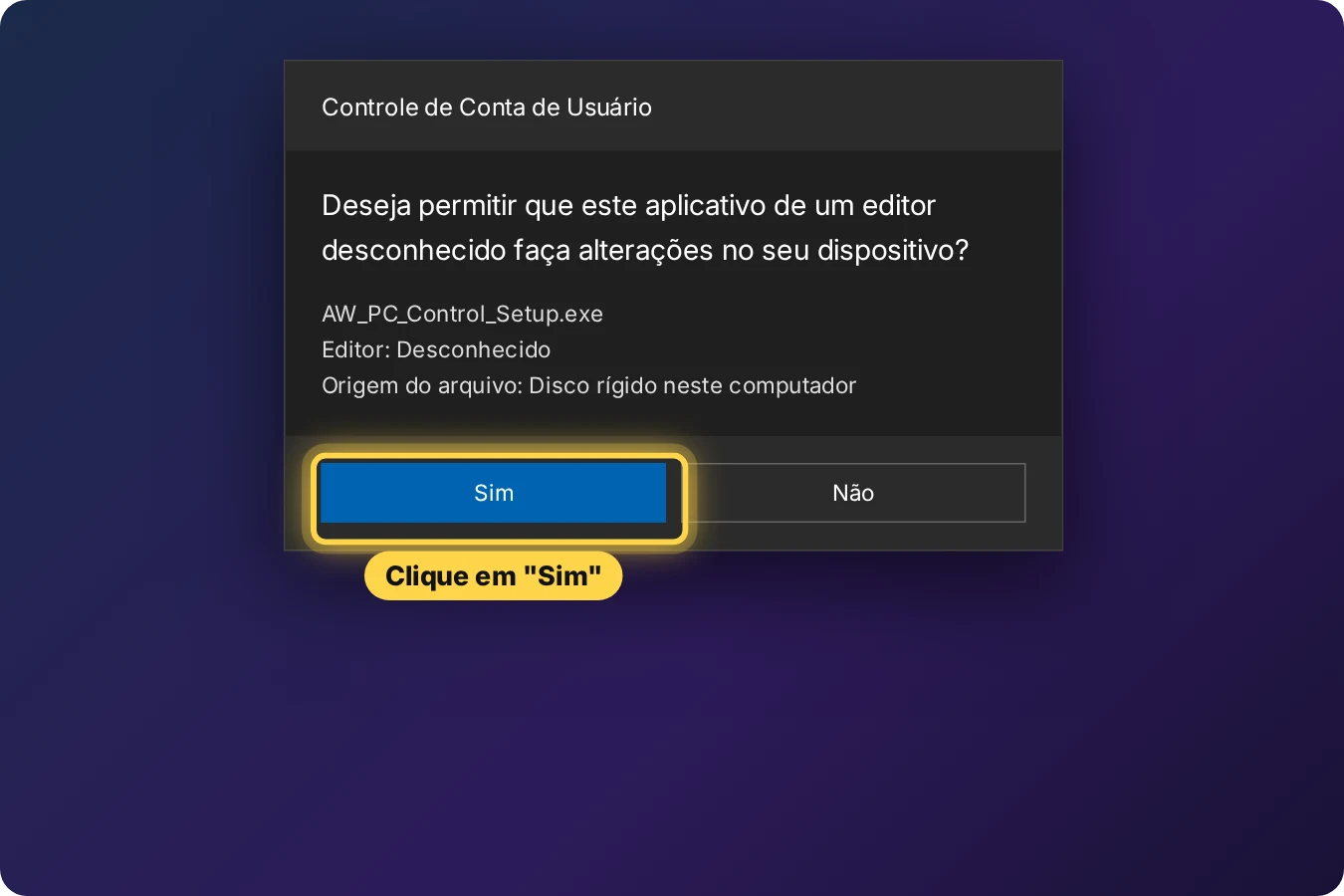
Allow the installation
Windows asks if the app can make changes to your device. Click Yes. It needs this permission to optimize and repair Windows.
-
Next and Install
Leave the options checked, click Next and then Install. At the end, AW PC Control opens by itself.
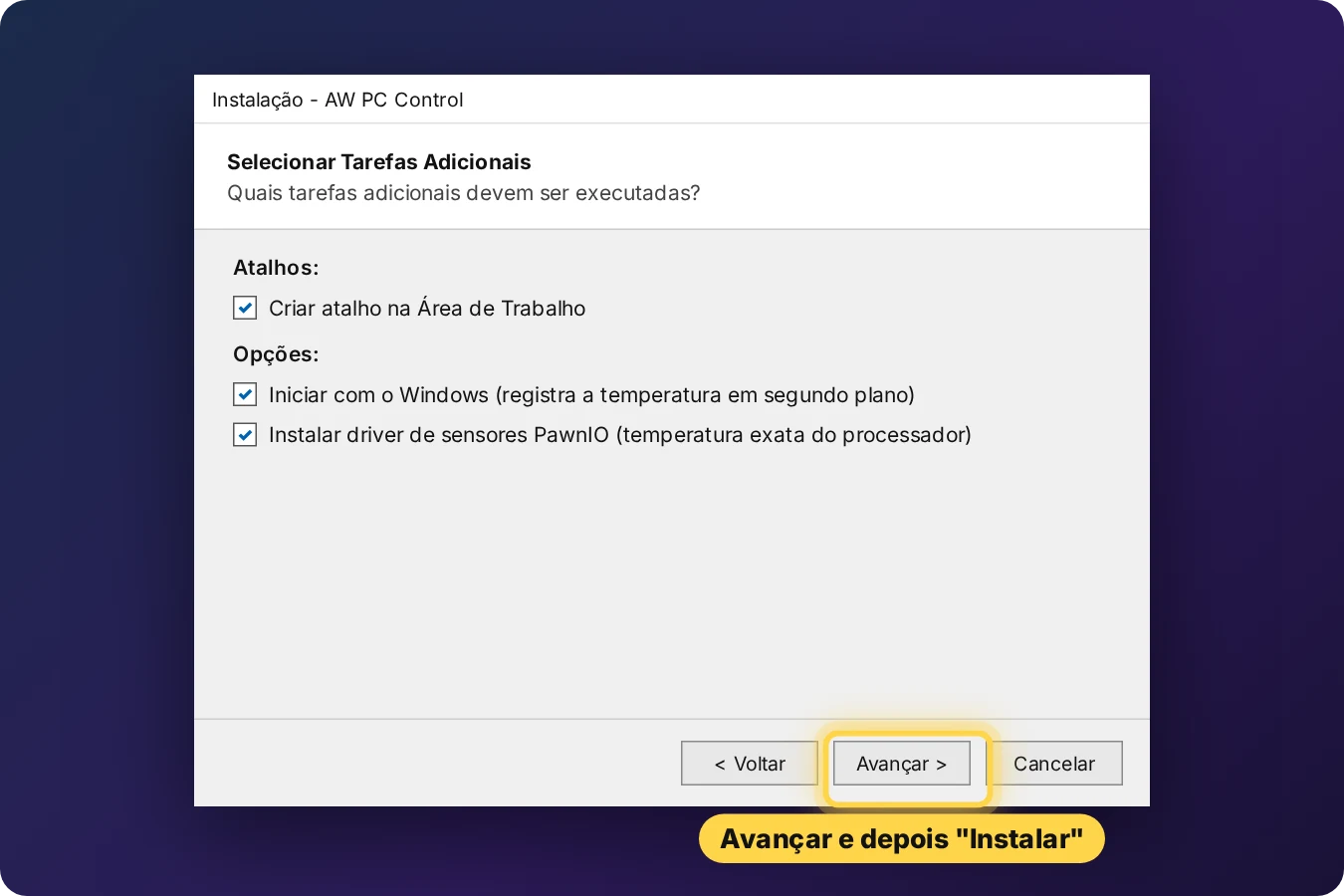
The pictures show Windows in Portuguese; on your PC the buttons appear in your language.
How to activate Pro
Each PC has its own code. The serial you receive is valid for that PC, even after formatting.
Click "Buy Pro" in the app
In AW PC Control, click "Activate Pro version" and then "Buy Pro". Your PC's code is already filled in at checkout.
Pay the way you prefer
Credit card, Apple Pay or Google Pay, on a secure Stripe payment page.
Click "I've paid, activate"
Go back to the app and click "I've paid, activate". Pro is unlocked right away, without typing anything. The serial also appears on the confirmation screen.
Frequently asked questions
Is the Basic version really free?
Yes, forever. You can use optimization, cleanup, temperature and battery health without paying anything.
Does it work on laptops?
Yes. On laptops the app also shows the battery health and when it needs replacing.
Which Windows versions does it work on?
Windows 10 and Windows 11, 64-bit.
How do I change the app's language?
The app opens in your Windows language. To change it, go to Settings → Language and choose English, Español or Português.
Can I use the same serial on another PC?
No. Each serial is valid for one PC. For more computers, the Family Pack comes with 3 serials at a discount.
What if I format the PC?
The serial stays valid. After formatting, install the app again and paste the same serial. If you replace the motherboard or the processor, e-mail us at [email protected] and we'll send you a new serial.
Can the app damage my PC?
Before any tweak the app creates a Windows restore point, and in Settings there is an "Undo everything" button that returns the tweaks to how they were.
What does AW bot send over the internet?
Only your question and a technical summary of the PC (parts, temperatures and score) to create the answer. No personal files are sent. See the Privacy Policy (in Portuguese).
How do I get updates?
The app lets you know when a new version comes out. Just click "Update" and it installs by itself, without losing Pro or your settings.
Your PC in good hands, every day
Download it free now and unlock Pro whenever you want.